ZenduSensor TSTH1-B
Written By Shubham Mishra
📄 Download PDF Version: Attached Below 🢃
ZenduSensor TSTH1-B Installation Guide.pdf
204 KB• Document
Installation Video
ZenduSensor TSTH1-B Installation Guide
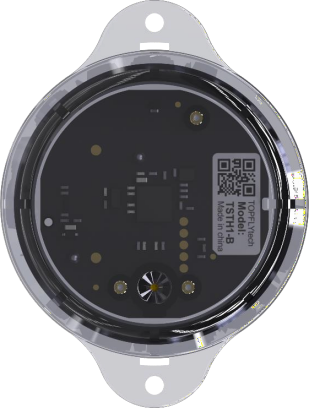
The sensor is using BLE 5.0 technology and could detect temperature, humidity and light then send them to the tracker/Phone via BLE. It provides the customer with a cost-effective, efficient and safe environment remote monitoring method. It’s suitable for using in commercial cold-chain transport/storage and other segments.
Step 1: Power On the Sensor
Open the back cover of the sensor.
Remove the protective plastic layer from the battery compartment to activate the battery.
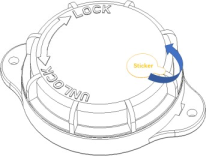
Place the waterproof plastic ring onto the lid.
Close and screw the lid tightly to ensure no water can leak inside.
Remove the sticker on the lid.
Step 2: Enable the Sensor
Peel off the protective plastic tape covering the sensor hole.
This hole contains the chip that measures temperature and humidity, so it must remain uncovered for accurate readings.
Step 3: Mounting the Sensor
The ideal installation position is on the ceiling, facing downward.
You can mount it in one of the following ways:
Using the adhesive tape provided.
Securing with screws.
Using a strap to fasten it upside down.
Important Notes
Ceiling installation is strongly recommended for accurate readings.
Avoid placing the sensor in blocked or enclosed spaces, as this will prevent proper airflow and reduce measurement accuracy.
Ensure the unit is mounted securely to prevent falling or damage.
Still need help? Ask the team