ZenTRACK Power
Written By Support Team
📄 Download PDF Version: Attached Below 🢃
ZenTRACK Power (1).pdf
341.3 KB• Document
Installation Video
Product Overview
ZenTRACK Power is a hardwired GPS tracking device designed for permanent vehicle installation with cellular connectivity, requiring external power connection via battery or OBD-II port.
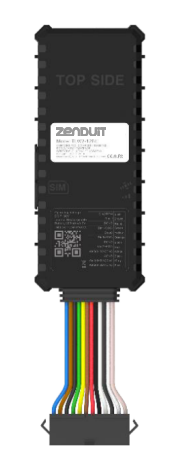
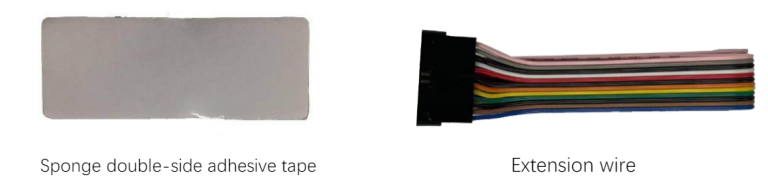
Standard Accessories:
Extension Wire: For power/data connection flexibility
Sponge Double-Side Adhesive Tape: For secure mounting
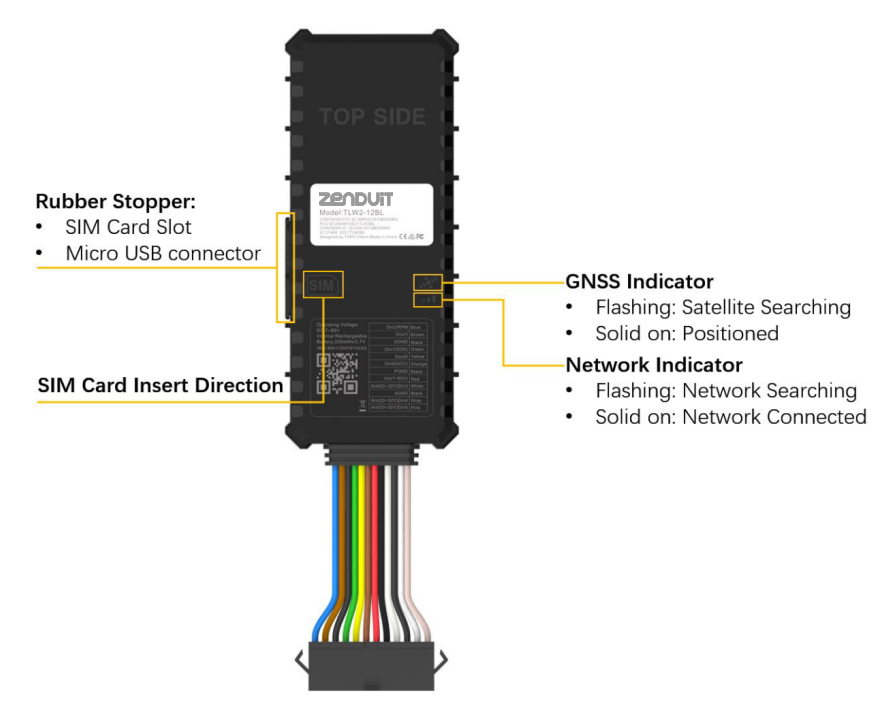
LED Status Indicators:
GNSS Indicator: Flashing (satellite searching) / Solid (positioned)
Network Indicator: Flashing (network searching) / Solid (connected)
Auto-Off Feature: LED indicators turn off automatically after 8 minutes
Micro USB Connector: For configuration access
Pre-Installation Requirements:
✅ Vehicle parked and turned off
✅ Access to battery or OBD-II port
✅ SIM card with data service enabled, no PIN lock, sufficient balance
✅ Mobile app or desktop portal credentials ready
Troubleshooting Guide:
Step 1: Initial Power Setup
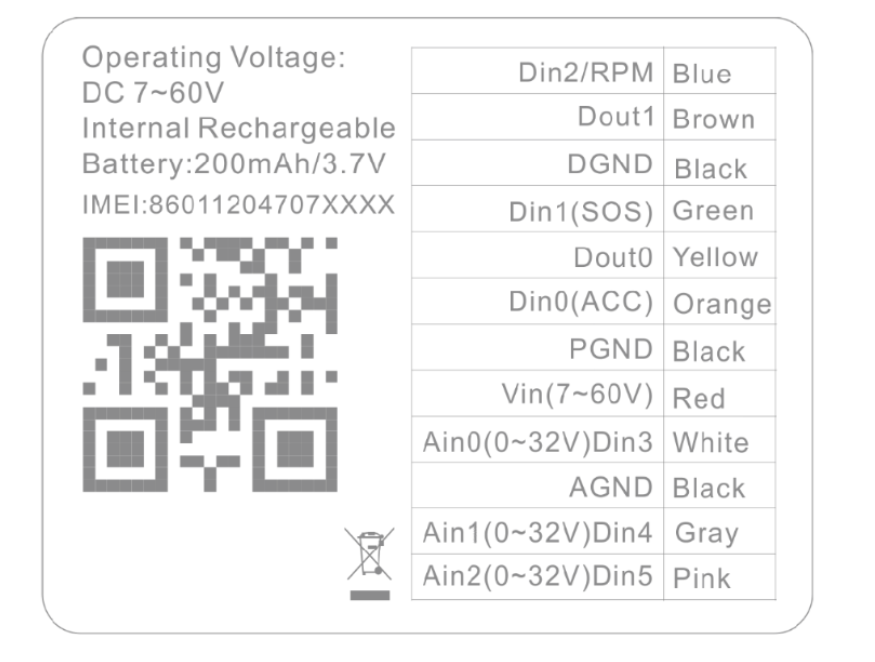
Use the extension wires to connect the red wire (power) and black wire (ground).
Once connected, the LED indicators will begin flashing:
GNSS signal indicator
Network signal indicator
Flashing = Searching for signal
Solid = Signal acquired
Step 2: Insert the SIM Card
Open Rubber Stopper: Access SIM card slot on device side
Insert SIM Card: Follow direction icon, push until "click" sound confirms secure installation
Close Protection: Seal rubber stopper to protect SIM slot
Step 3: Final Installation in Vehicle
Connect the power and ground wire directly to the vehicle.
Use the double-sided tape to stabilize the device under the dashboard.
Device Installation Critical Points:
Orientation: "TOP SIDE" logo must face upward, no metallic obstructions
Positioning: Avoid emission sources (sensors, alarms, communication devices)
Signal Reception: Proper orientation essential for GPS/cellular performance
Power Connection: Verify reliable external power source (battery/OBD-II)
Still need help? Ask the team