Stop details and proof
Each stop keeps the evidence of what happened there: camera video, photos, GPS and times.
Written By Vishal Singh
Each stop keeps the evidence of what happened there. When a customer disputes a pickup, the answer is the camera video and photos.
Open a stop
In route details, click a stop in the timeline. The stop panel opens on the right. Use the arrows at the top to move to the next or previous stop.
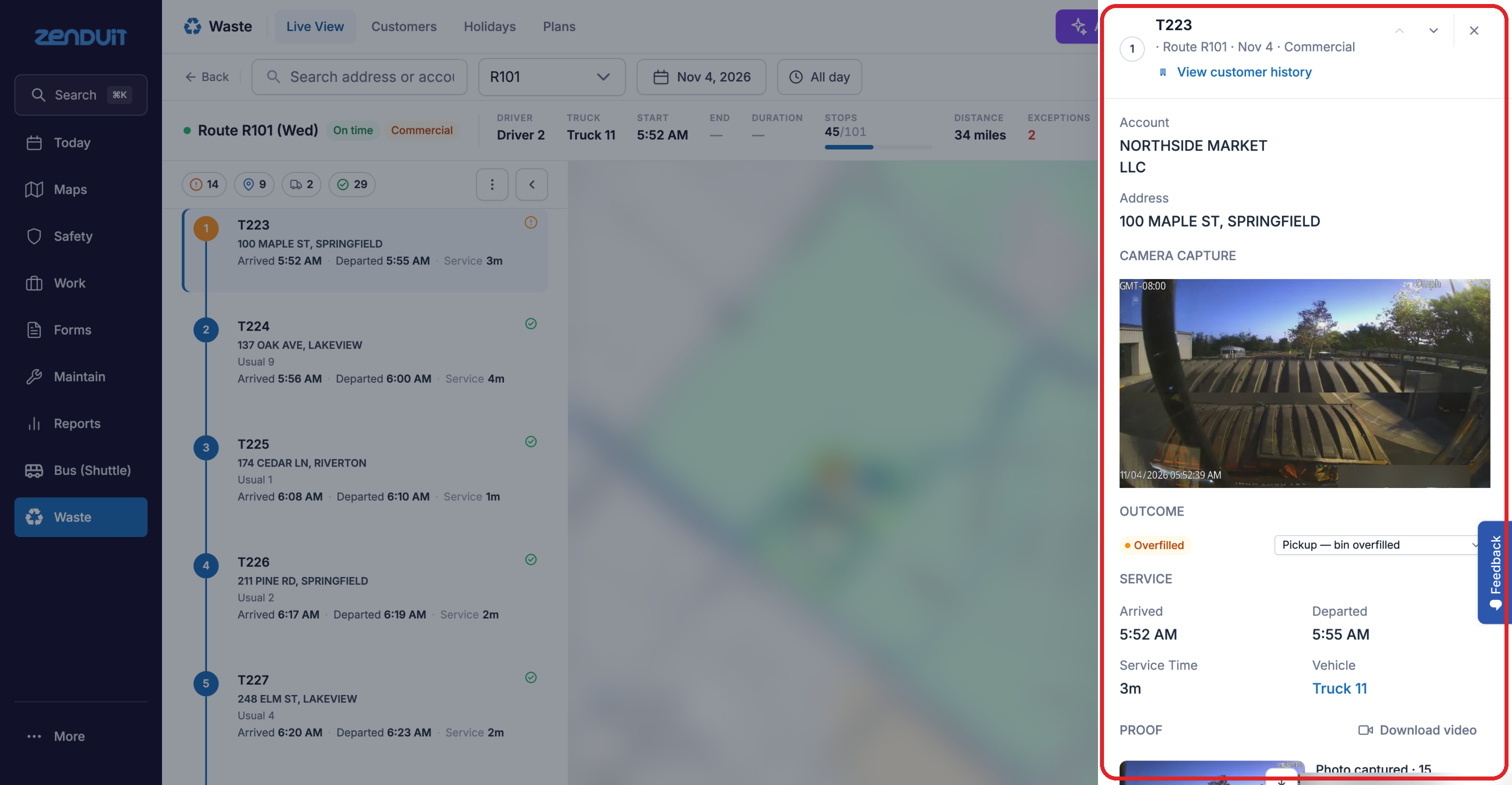
Stop panel.
What the panel shows
Account and address of the customer.
Camera capture: a video clip of the stop from the truck's camera.
Outcome: what happened, for example Overfilled.
Service: arrival, departure, service time and vehicle.
Proof: photos from the stop, with their GPS position and time.
Customer message: a box for a message to this customer. This feature is rolling out. Ask your representative about availability.
Plan: fix the stop's place in the weekly plan. See Correct a stop.
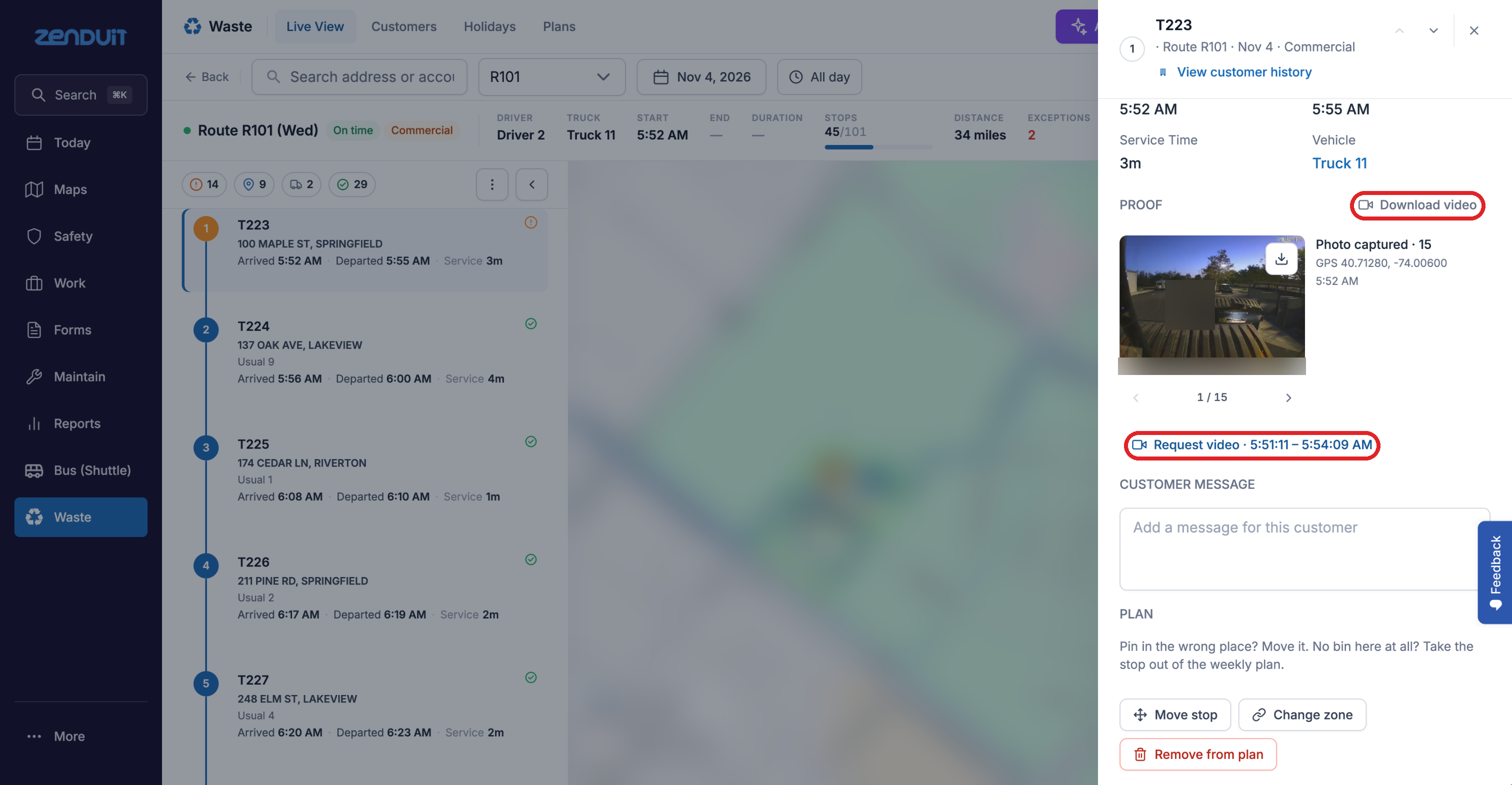
Get more video
Click Download video to save the clip.
Click Request video to investigate a pickup with the full recording. The truck's Historical Video page opens.
On the Historical Video page:
Under Request Details, check the clip. Select Date and Event Time are already filled in from the stop, and you can change them.
Choose a Video Type: Video or Snapshots.
Choose a Duration for the clip. The default is 2 minutes.
Click Send Video. In the form that opens, enter a name for the request. Your email is already selected; add other people from your company if they should get the clip too.
Click Save. The request is sent to the camera, and you get the clip when it's ready. It isn't instant: it depends on the camera being online and uploading.
To reload the camera preview (CH 1, CH 2, CH 3), for example if it didn't load or the camera was slow to respond, click Refresh.
Requesting video is rolling out. Ask your representative about availability.
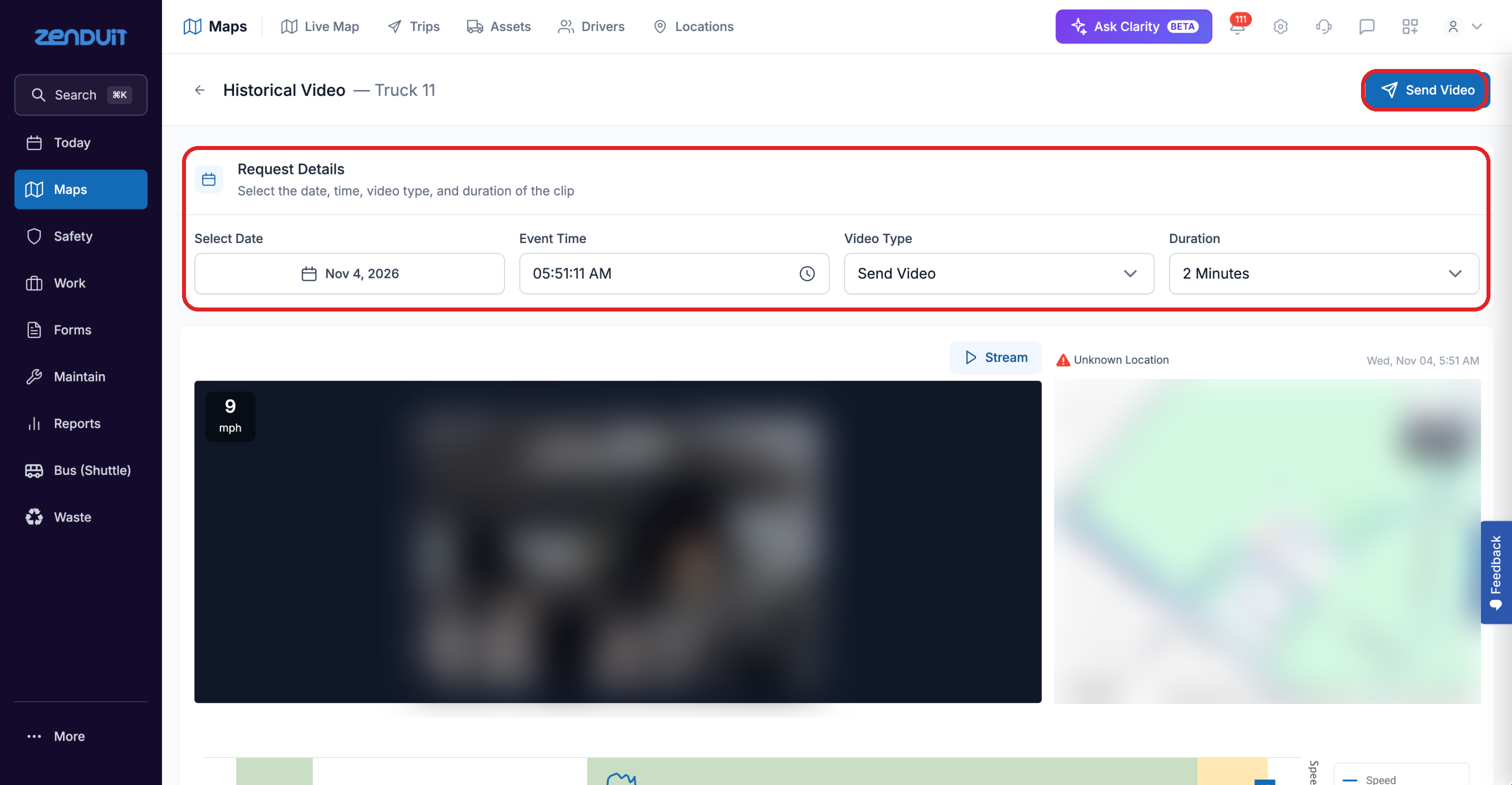
Historical Video, opened from Request video.
Click View customer history to see every visit to this customer.
Was this helpful?
Still need help? Ask the team