ZenCAM Wireless Camera Kit Troubleshooting
What to do when the wireless trailer camera does not show on the monitor, does not pair, or drops out. Quick checks for drivers, then wiring checks for installers.
Written By Vishal Singh
Use this guide when the wireless trailer camera image does not appear, does not pair, or drops out. Part 1 is for drivers. Part 2 is for installers and fleet maintenance.
Reading the receiver lights
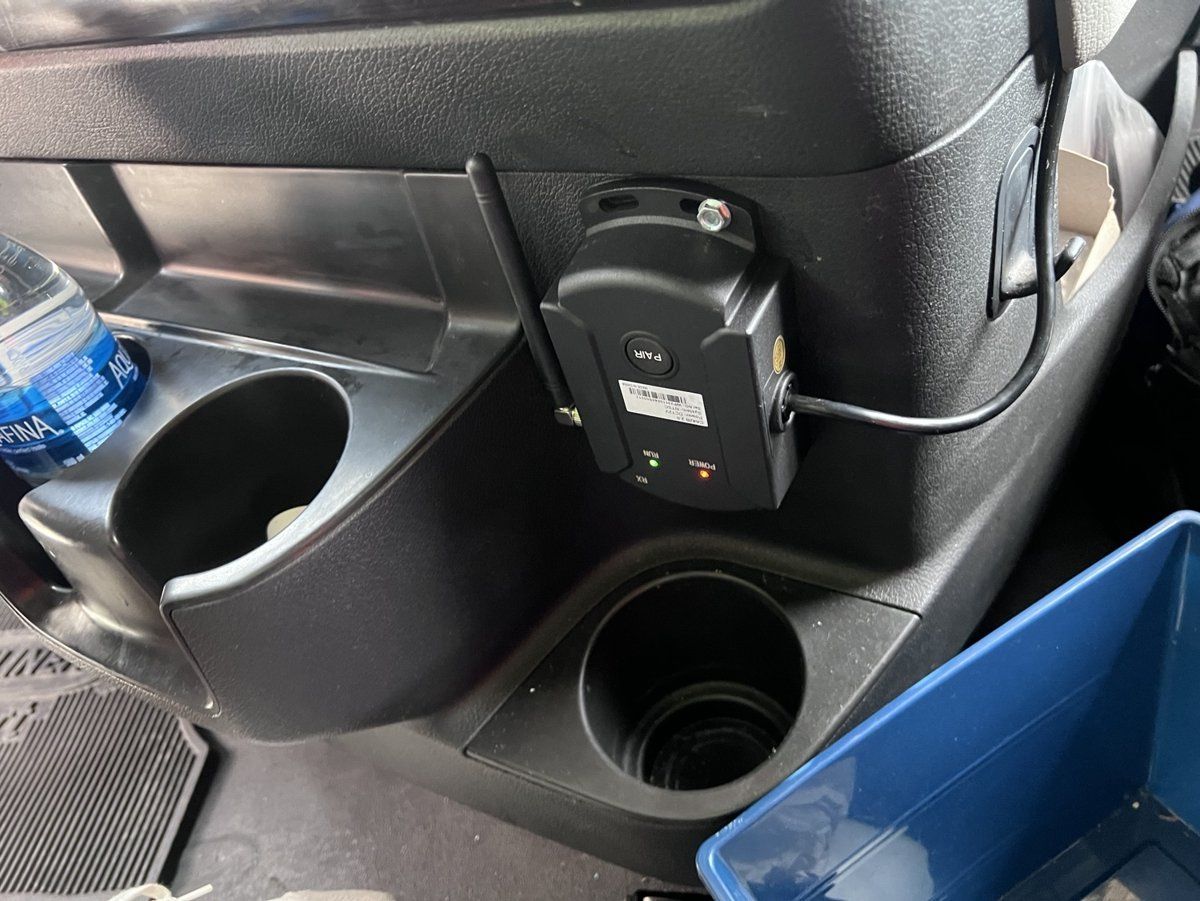
The wireless receiver in the cab has two lights and a PAIR button.
Part 1: Driver checks
1. Start-up check
Start the vehicle with the trailer connected and make sure the monitor is on.
Wait up to 30 seconds. The camera normally pairs on its own at start-up.
2. If the screen is blank or shows "No Signal"
Stay parked and wait another 30 seconds.
If the image appears, no action is needed.
3. Restart the vehicle (recommended first step)
Turn the vehicle off.
Wait 30 seconds.
Turn the vehicle on.
Wait up to 30 seconds for pairing.
If the trailer was connected after the vehicle was already running, always restart the vehicle. Both units must power on together to pair.
4. Manual pairing (only if the image still does not appear)
Make sure the vehicle is on.
Find the PAIR button on the wireless receiver.
Press the PAIR button briefly, until the RUN light flashes.
Wait up to 10 seconds for the image. Pairing usually completes within 5 seconds.
What drivers should not do
Do not hold the PAIR button down for a long time, or press it repeatedly. This can change the pairing mode and need maintenance support.
Do not change any wiring or power connections.
5. If the camera still does not display
Continue driving safely using your mirrors and standard procedures.
Report it to dispatch or maintenance with the vehicle number, the trailer number and the steps you already tried.
Part 2: Installer and maintenance checks
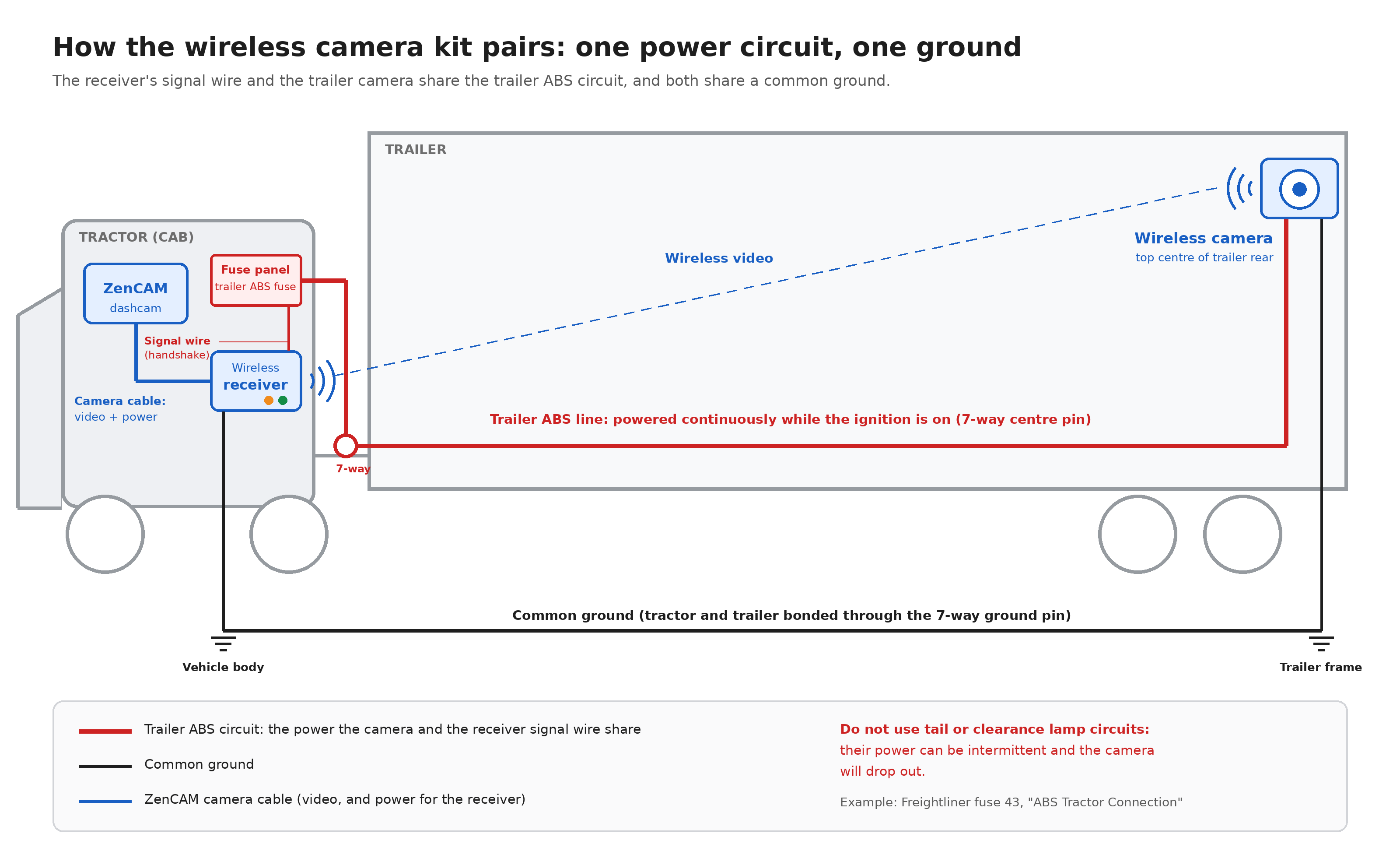
Most pairing problems come from wiring. The receiver and camera pair reliably only when the receiver's signal wire and the camera are on the same power circuit, with a common ground. The recommended circuit is the trailer ABS line, which is powered continuously while the ignition is on. See the ZenCAM Wireless Camera Kit Installation Guide for the full wiring.
Contact support
If these steps do not fix the problem, contact ZenduIT support. Include the vehicle number, trailer number, the receiver light status, and the steps you have already tried.
Was this helpful?
Still need help? Ask the team