Route Library and Route Details
The Route Library lists every route in one searchable table; open any route to see its details and trip history.
Written By Vishal Singh
The Route Library lists every route in one searchable table; open any route to see its summary, stop sequence, assigned vehicles and full trip history.
Route Library
Go to Routes. The table shows each route's origin, destination, stops and distance. From here you can:
Search routes
Create a route or import routes from a KMZ file
Open, edit or delete a route
Export routes as a PDF, XLS or CSV file from the ⋮ menu
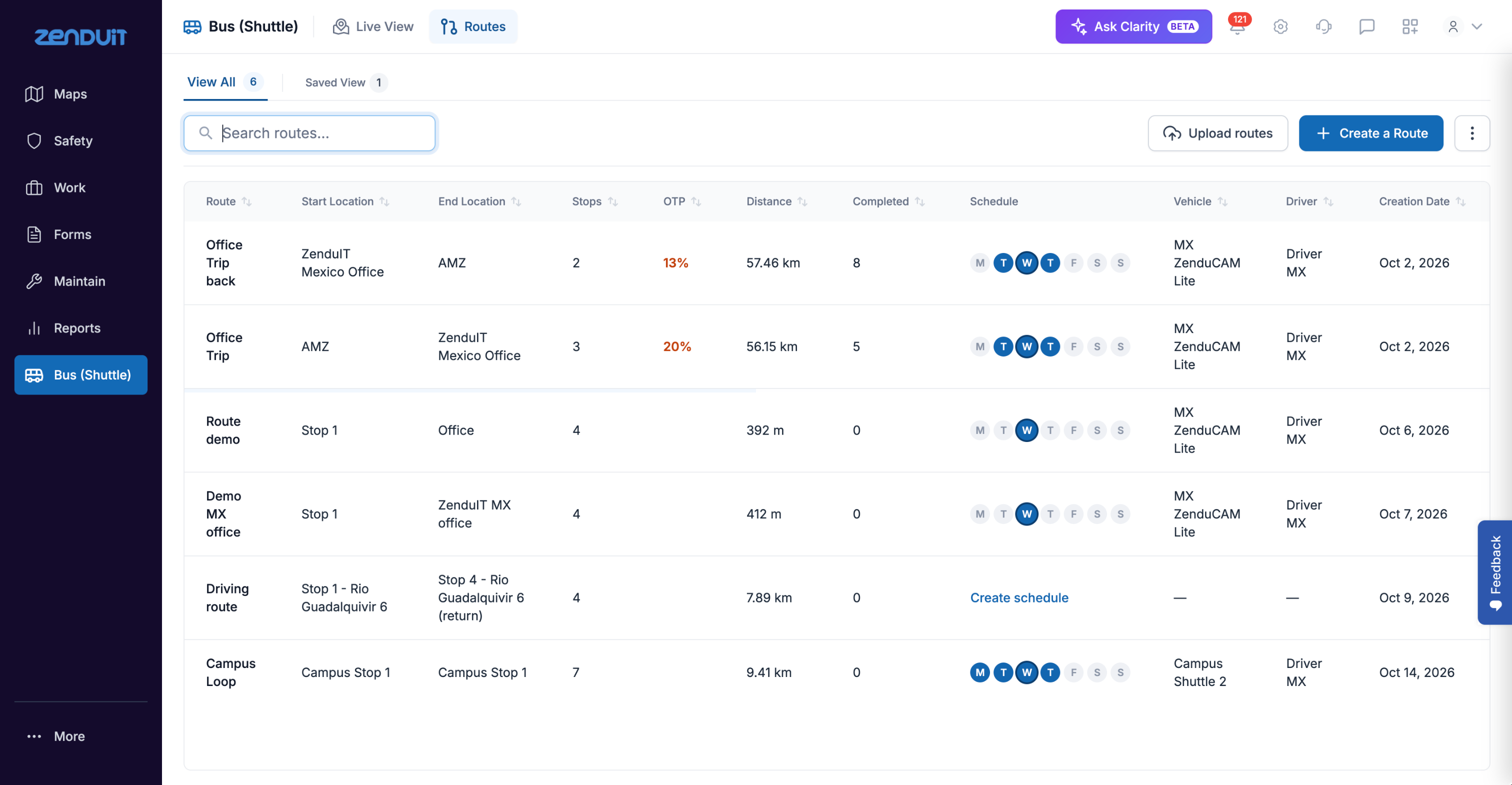
Routes: the Route Library.
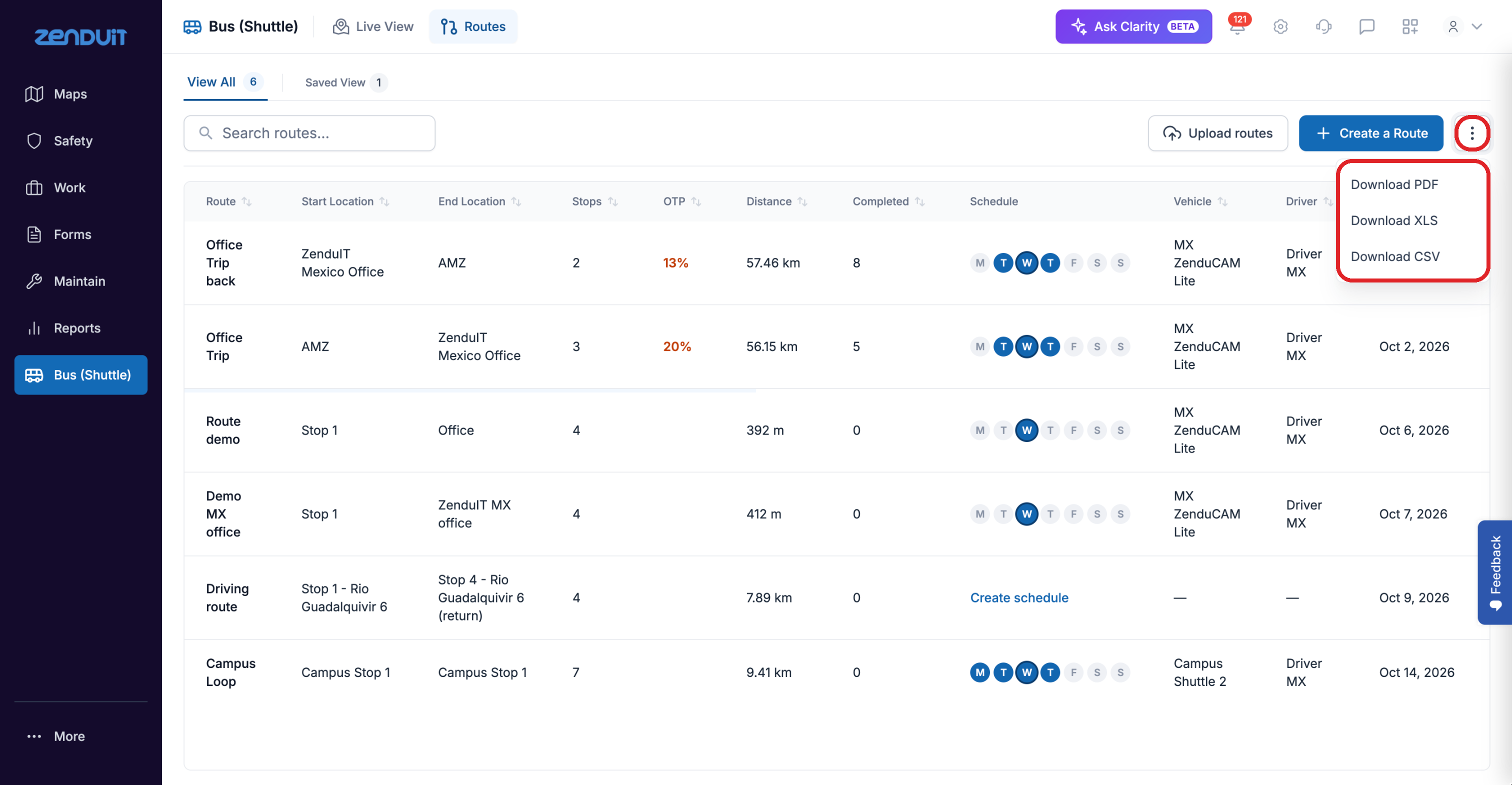
Export the list from the ⋮ menu.
Route Details
Open a route from the Route Library to see:
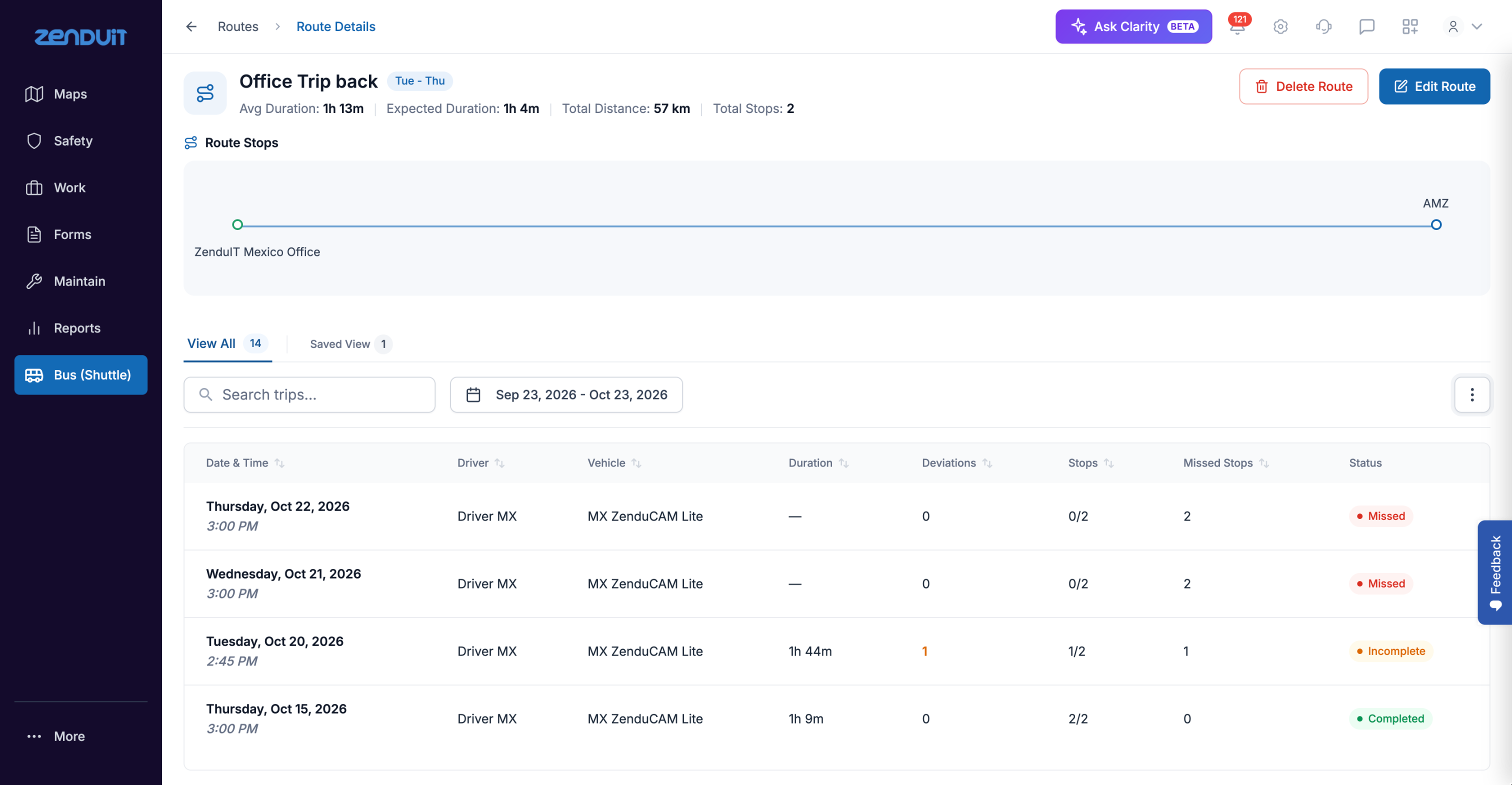
Route Details.
Number of passengers appears in trip history only if your company has the passenger counting feature (ZenShuttle Enterprise) enabled. Without it, the field is not shown.
Work with trip history
Filter trip history by date.
Export trip history as a PDF, XLS or CSV file to share or analyse it.
Select Edit Route to change the route, then Save Changes to confirm.
Was this helpful?
Still need help? Ask the team