External Panic Button Installation
This article provides instructions for installing an external panic button with the Pbox Max system. The panic button allows users to trigger an alert in emergency situations. Correct wiring is essential to ensure proper functionality without interfering with the vehicle’s ignition system.
Written By Reman Bhardwaj
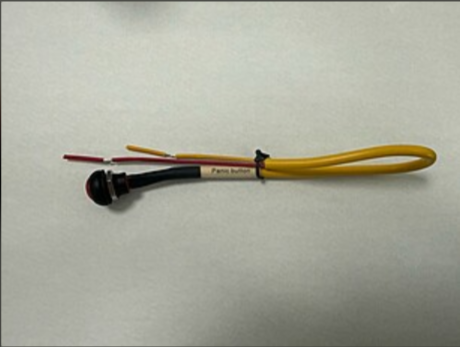
Installation Instructions
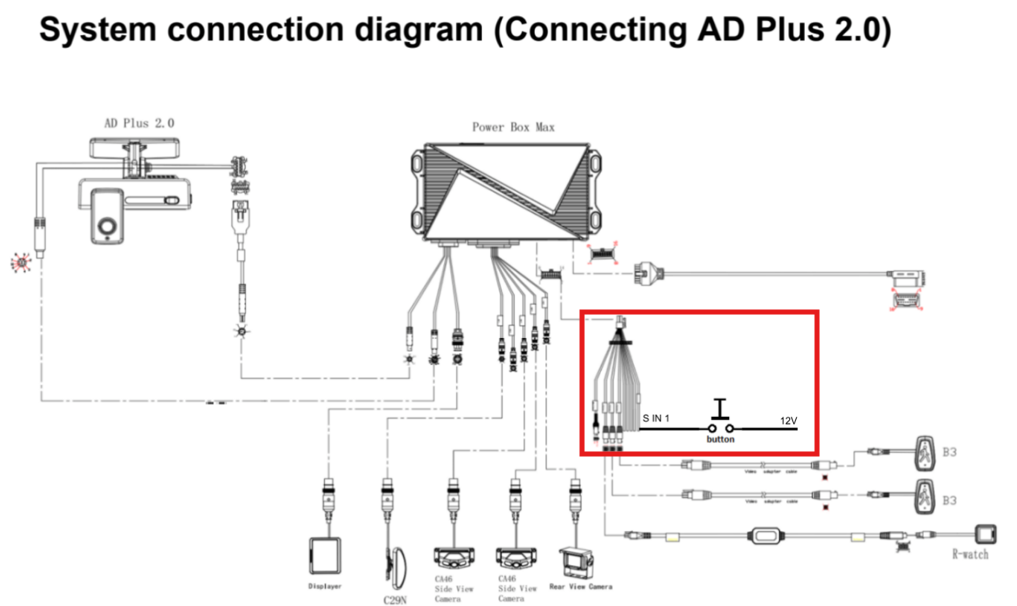
Identify Wiring Points
Locate the Sensor & Serial harness on the Pbox Max.
Identify the “SIN1” yellow cable from this harness.
Connect the Panic Button
The external panic button must be connected between the “SIN1” yellow cable and a 12V power source.
Power Source Options:
It can be connected to the +12V supplying the Pbox Max.
Important: Do not connect it to the vehicle’s ignition key.
Use Extension Cables if Necessary
Depending on the installation location, extension cables may be required to reach the panic button’s mounting location.
Verify the Installation
Once connected, test the panic button to ensure that pressing it triggers the intended alert on the Pbox Max system.
Notes & Best Practices
Ensure all connections are secure and insulated to prevent shorts.
Do not route wires near moving parts or high-heat areas to avoid damage.
Label the panic button location for easy identification in emergencies.
Still need help? Ask the team