Remove duplicated assets from Fiix after Integration with ThirdParty Telematics Company
Written By Kamakshi Mahajan
Procedure:
Note: If you already have the Fiix CMMS and have integrated it with KeepTruckin or any other third party telematics company, you might see the Duplicated assets.
Once the integration is done between Fiix and third party telematics company, all the assets from that company will start displaying on the Fiix under "No Sites" will be the New Assets. The Assets which are already added into the Fiix standalone will be the Original Assets. So, basically, the assets are duplicated.
In order to fix that, follow the steps mentioned below:
From the New assets, copy the code (See below image for your reference) and paste it in the Original asset, and then click on Save.
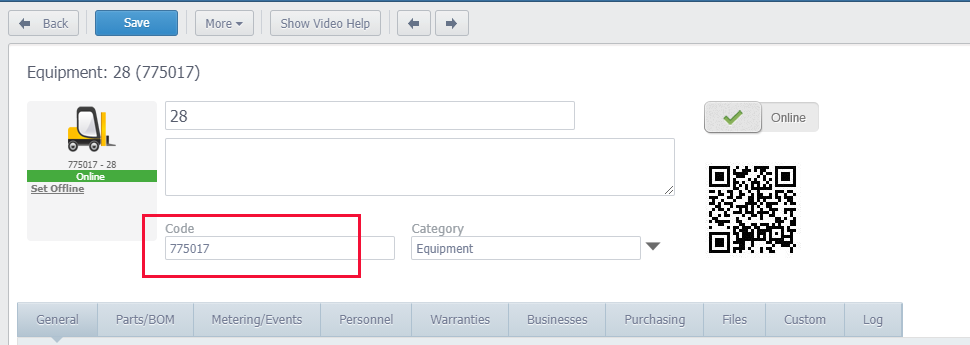
Next, Delete the New Asset (Hence, you will no longer have the duplicates).
Once the code is updated in the Original Asset, moving forward all the data will be automatically updated in the System under that Asset.