Customers and service history
Customers lists every customer site with its latest service; open one to see every visit.
Written By Vishal Singh
Customers lists every customer site with its latest service. Open a customer to see every visit, so you can answer a dispute with the record in front of you.
Customers list
Click Waste > Customers. For each site you see its type, location, routes, contact, last outcome, last visit, and the number of visits and overfills in the last 30 days.
Search by customer, site or address, or use Filter.
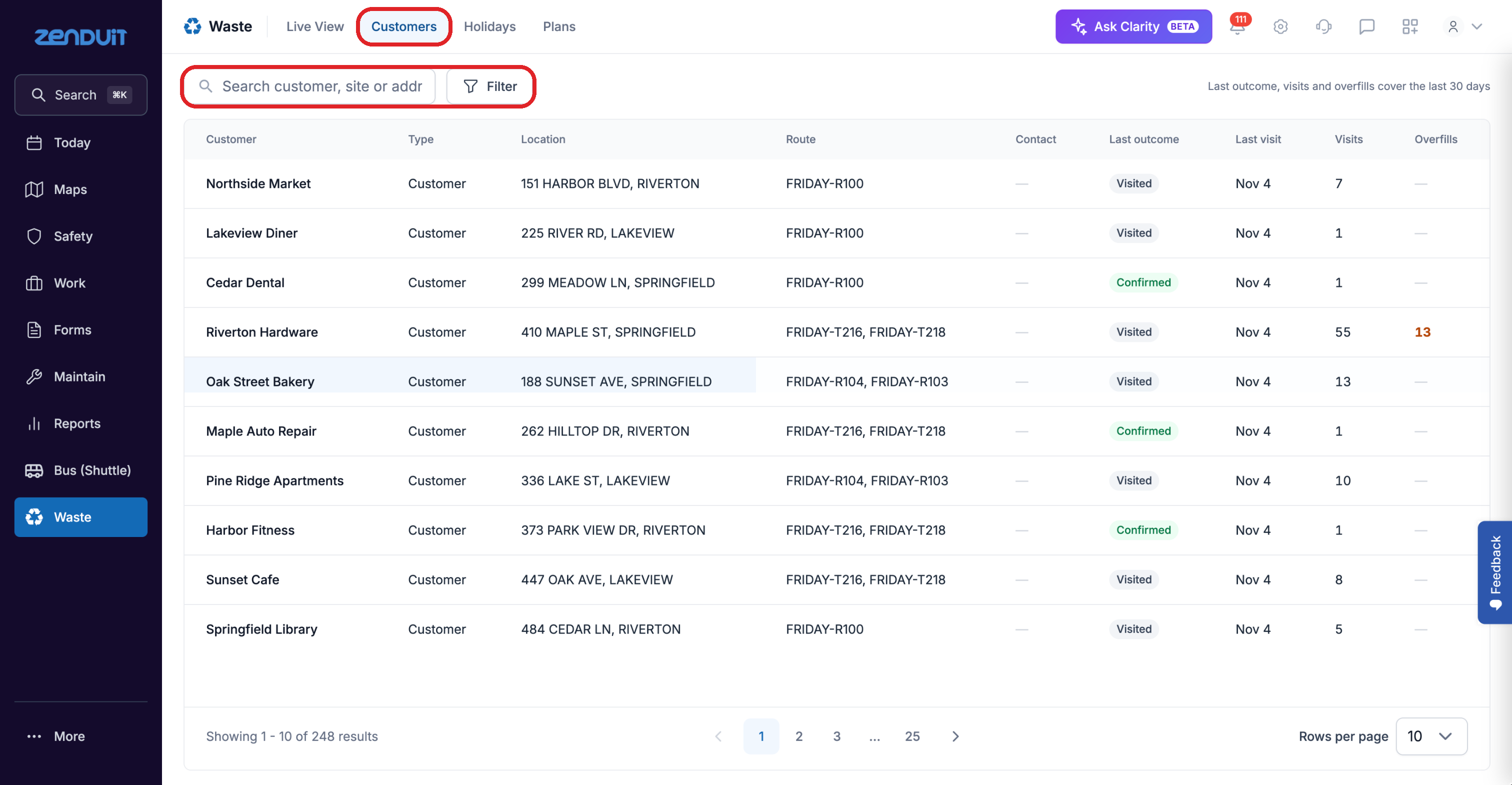
Waste > Customers.
A customer's history
Click a customer, or click View customer history in a stop panel.
Customer history.
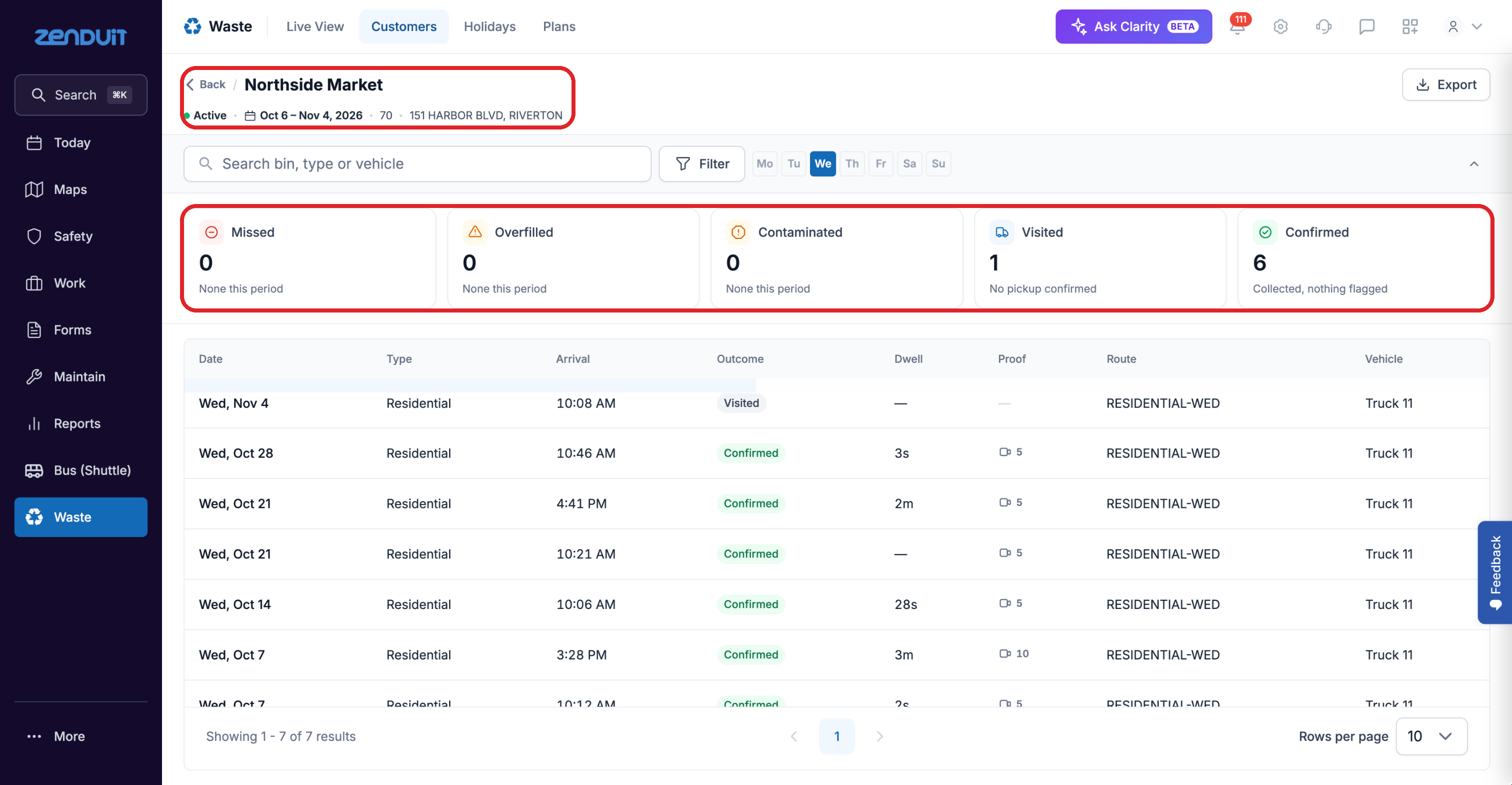
The header shows the site, its service days and the date range.
The counts at the top show visits by outcome. Click one to filter the table.
Each row is one visit: date, type, arrival time, outcome, time on site, proof and vehicle.
Missed visits appear as their own rows, with no arrival time or proof.
Click Export to download the history.
Was this helpful?
Still need help? Ask the team