Route details
Route details show one route's day stop by stop: arrival, time on site and what happened at each stop.
Written By Vishal Singh
Route details show one route's day stop by stop: when the truck arrived, how long it stayed, and what happened at each stop.
Open a route
In Live View, click the route.
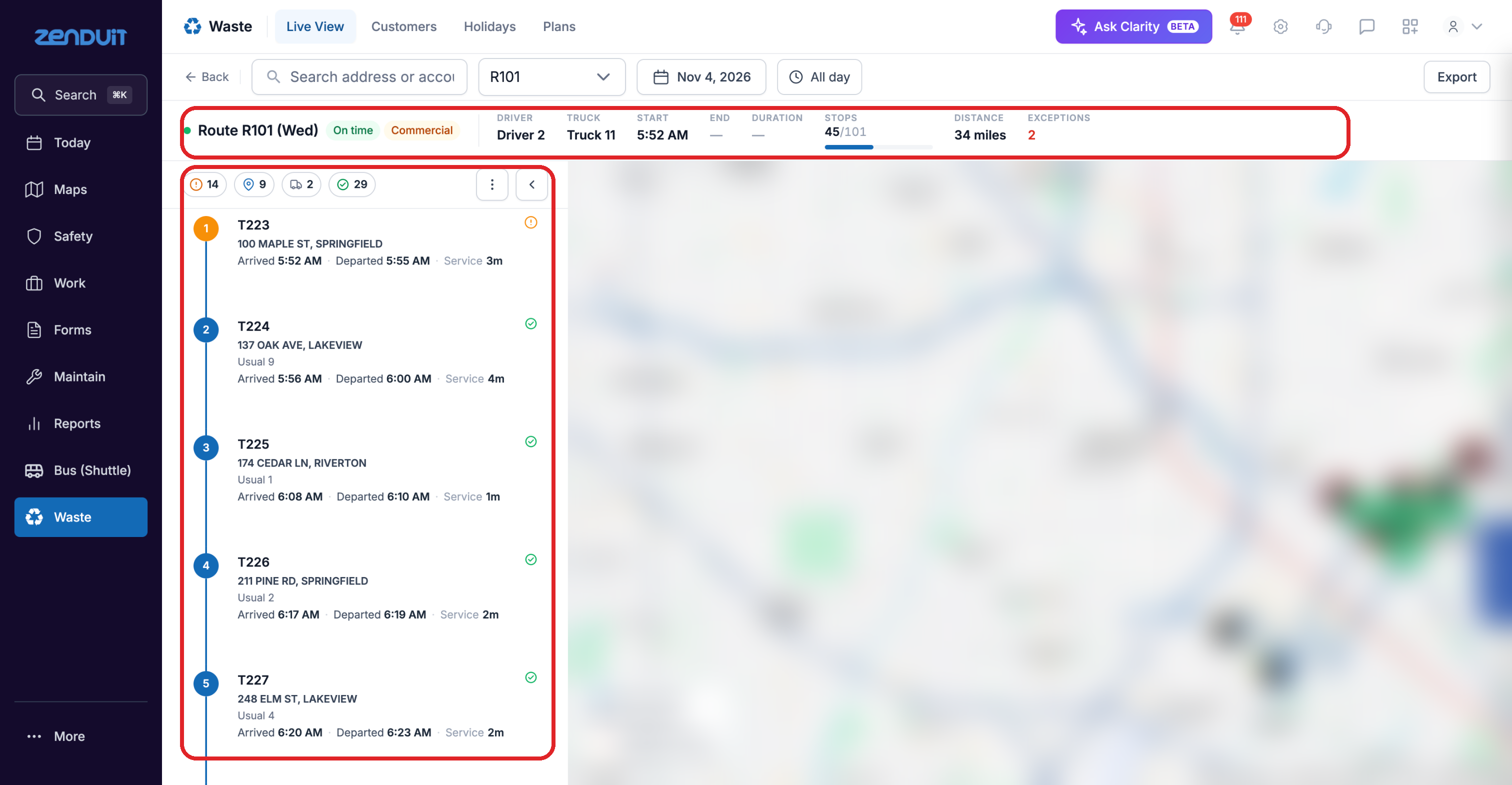
Route details.
What you see
Summary: whether the route is on time, its type and material, the driver, truck, start and end time, duration, stops done and distance.
Outcome counts: how many stops are Overfilled, Upcoming, Visited and Confirmed. Click a count to filter the timeline.
Stop timeline: each stop in order, with its number, address, arrival and departure time and service time.
Map: the route's stops and where the truck stopped or crawled.
Good to know
Use the route and date pickers at the top to switch to another route or day.
Click Export to download the route.
Click a stop to see its proof. See Stop details and proof.
Was this helpful?
Still need help? Ask the team