Track your shuttle (for passengers)
See where your shuttle is and when it will reach your stop from any phone or browser, with no app and no account.
Written By Vishal Singh
You can see where your shuttle is and when it will reach your stop from any phone or browser, with no app to install and no account.
Open the tracking page
Scan the QR code at your stop, or
open the link your shuttle provider shared by email, text or on a sign.
What you see
The route name and the shuttle (vehicle) running it
Route progress and upcoming stops
The ETA for each stop, updated automatically as the shuttle moves
Service status
How full the shuttle is (occupancy), only when that vehicle has a passenger counter
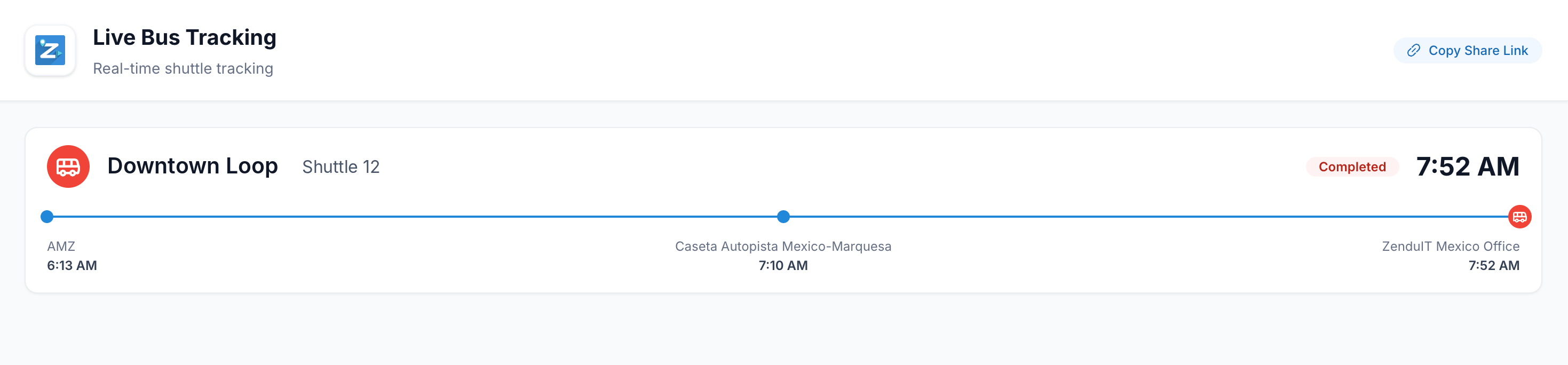
The Live Bus Tracking page. Use Copy Share Link to send the page to someone else.
The page works the same on a phone, tablet or computer. It adjusts to your screen size.
Questions
Do I need to sign in? No. The page is public.
The page says "No live routes." None of the shuttles on this link are running right now. A shuttle waiting in the depot isn't live yet. It appears once service begins.
The link no longer works. Your provider sets how long a link stays active. Ask them for the current link or scan the QR code at the stop.
Can I get a notification when my shuttle is close? Not at the moment. Keep the tracking page open to follow the live ETA.
Was this helpful?
Still need help? Ask the team