Live View: today's routes
Live View lists every collection route for the day, with progress and exceptions at a glance.
Written By Vishal Singh
Live View lists every collection route for the day, so you can see at a glance which are running, how far along they are and where the exceptions are.
Open Live View
In ZenduONE, click Waste in the left menu. Live View opens first.
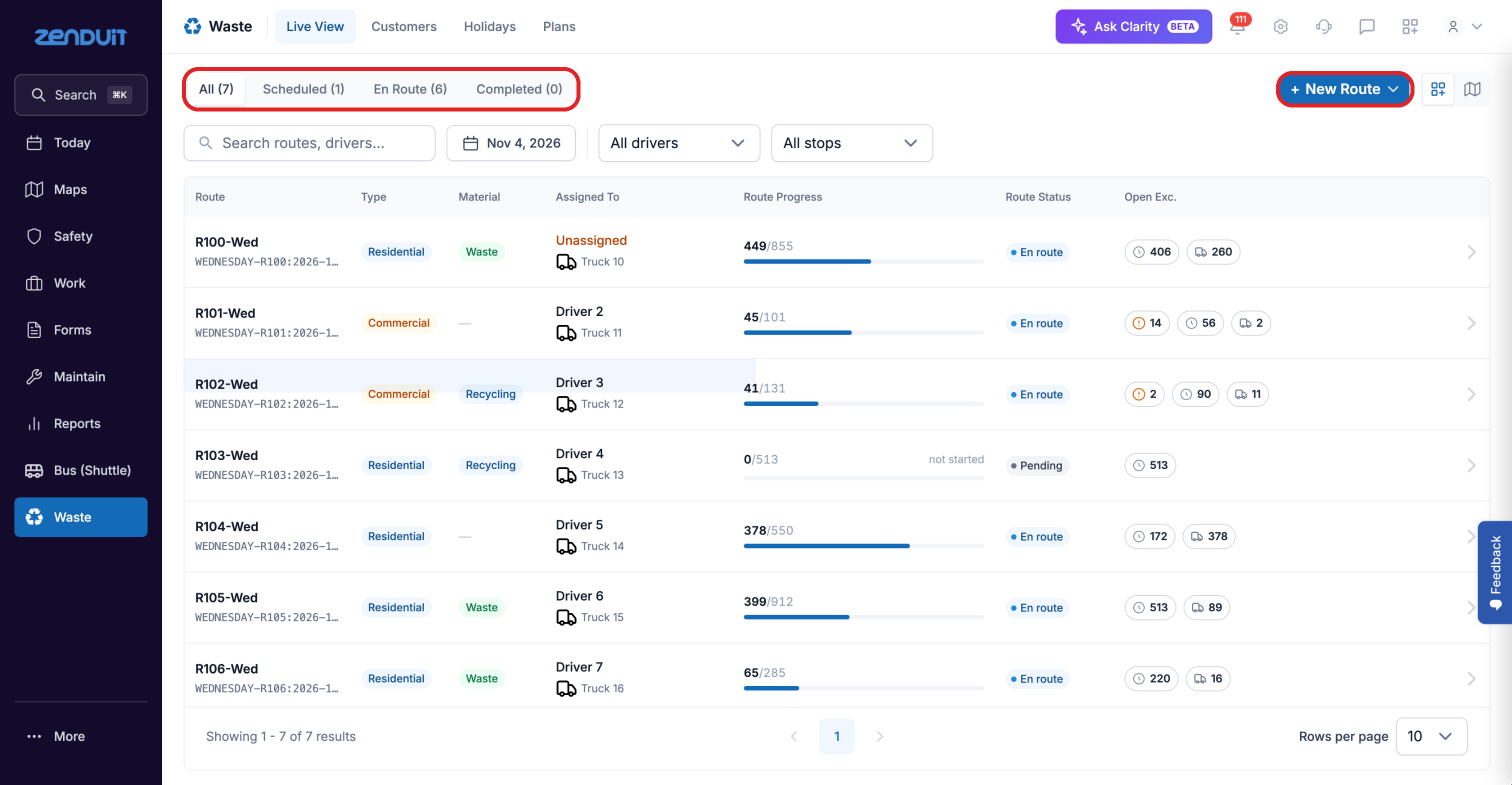
Waste > Live View.
What each column shows
Status icons
Each icon shows how many stops are in that status:
Icon | Status | What it means |
|---|---|---|
 | Missed | The truck never arrived, or drove past without stopping |
 | Visited | The truck stopped at the site, but no pickup was confirmed |
 | Confirmed | The truck stopped and the camera confirmed the pickup |
 | Upcoming | The truck hasn't reached the stop yet today |
Find a route
Use the tabs to show All, Scheduled, En Route or Completed routes.
Search by route or driver, pick a date, or filter by driver or by stops.
Switch between the list and the map with the icons at the top right.
Click a route to open its details.
Was this helpful?
Still need help? Ask the team