ZenScore - Setting up new dashboard
Written By Kamakshi Mahajan
This article explains how to set up a new dashboard in ZenScore.
Steps to add a new dashboard
To Add New Dashboard for Specific Group and Adjust the Date Range to view the desired information.
Click on ZenScore add-in.
Select the Dashboard tab.
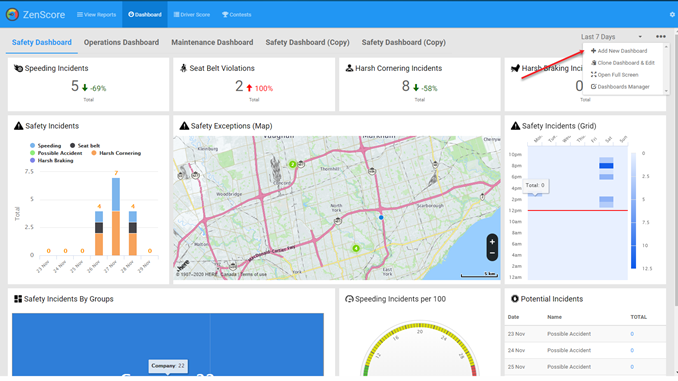
Click on top right corner
Click on +Add New Dashboard
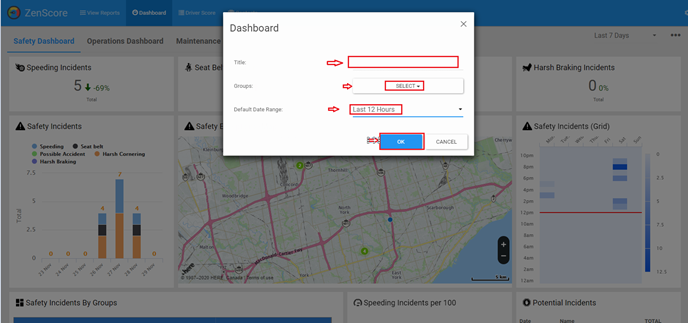
Enter the Title for the dashboard.
Select groups.
Select the ‘Date Range’ as desired.
Click on ‘Ok’ to save
Add widget to the Dashboard
Click 3 dots in top right corner
Click on ‘+Add Widget’.
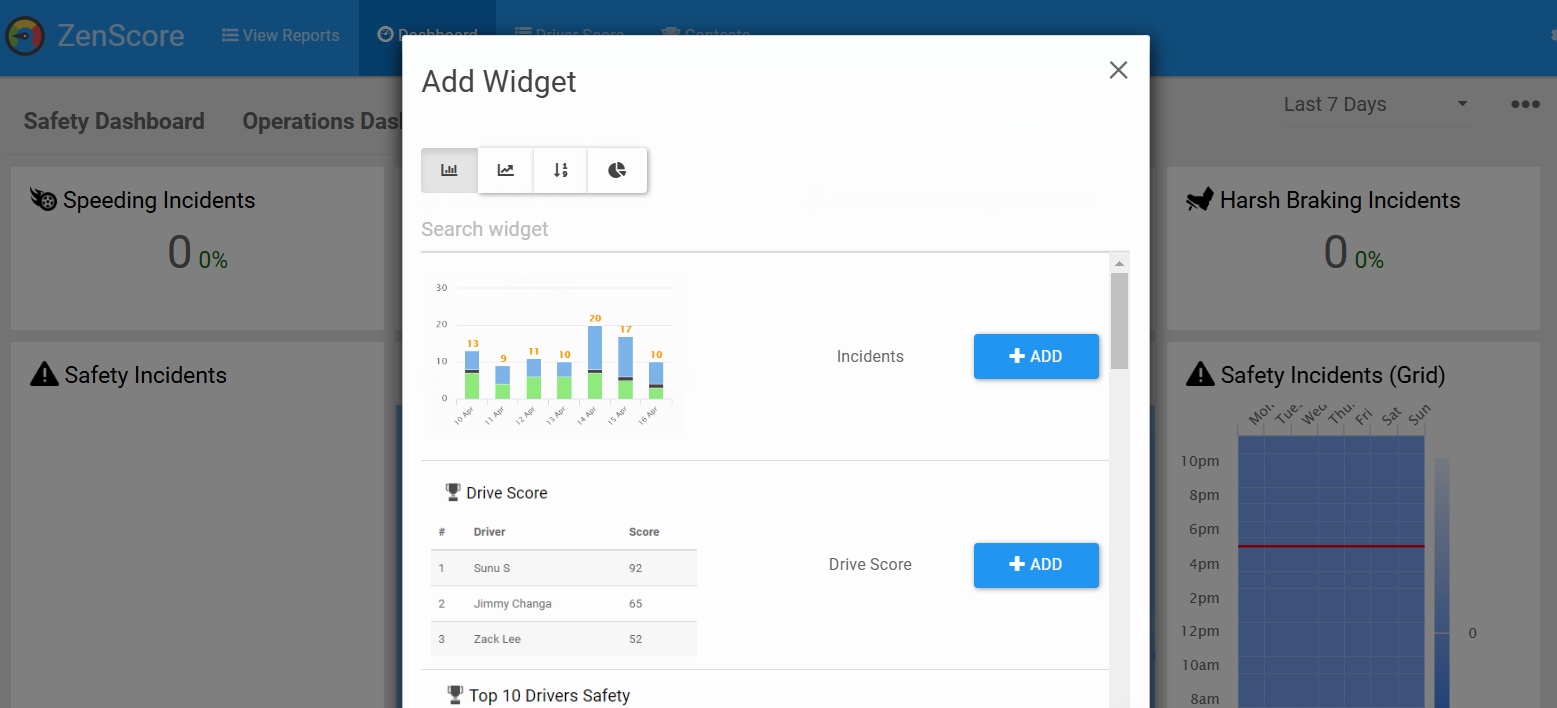
Select the style of the widget.
Click on ‘Add’ button. Configure the options.
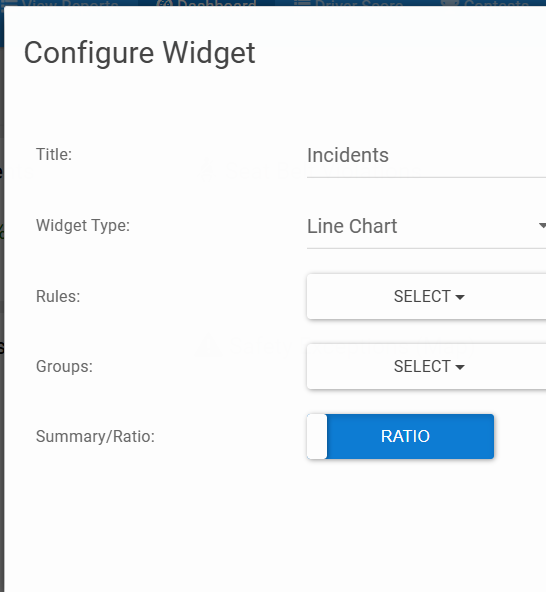
5. Click "Ok" to add the widget.
Was this helpful?
Still need help? Ask the team