
Changelog

Follow new updates and improvements to ZenduONE.

New Clearance System: Smarter Controls for Streaming
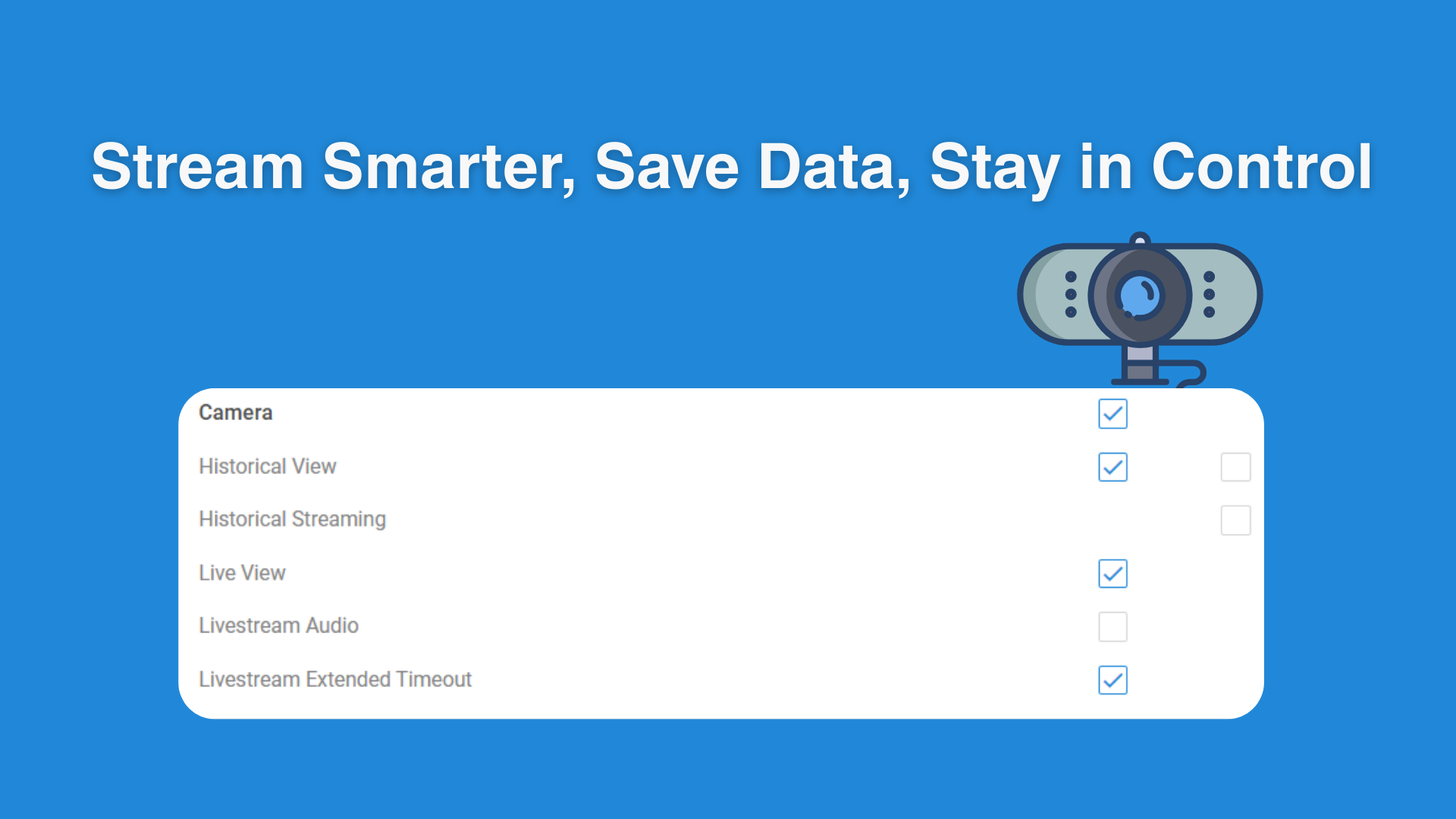
We’ve introduced a new clearance system to help user better manage streaming usage and prevent unnecessary data consumption.

Key Updates:

  • Admins can now enable or disable historical streaming access for specific users to avoid over-streaming of driver records.

  • New option to adjust or disable live stream timeouts (default set to 30 seconds) to prevent unnecessary data consumption.

Why It Matters:
These updates give users greater flexibility and control, helping reduce excessive data usage and ensuring streaming is only active when truly needed.
New

Smarter, Faster Forms: New Features to Boost Your Workflow

We’ve made powerful upgrades to the Forms module to improve form creation, automation, and driver experience — making inspections and maintenance reporting easier than ever.

Key Updates:

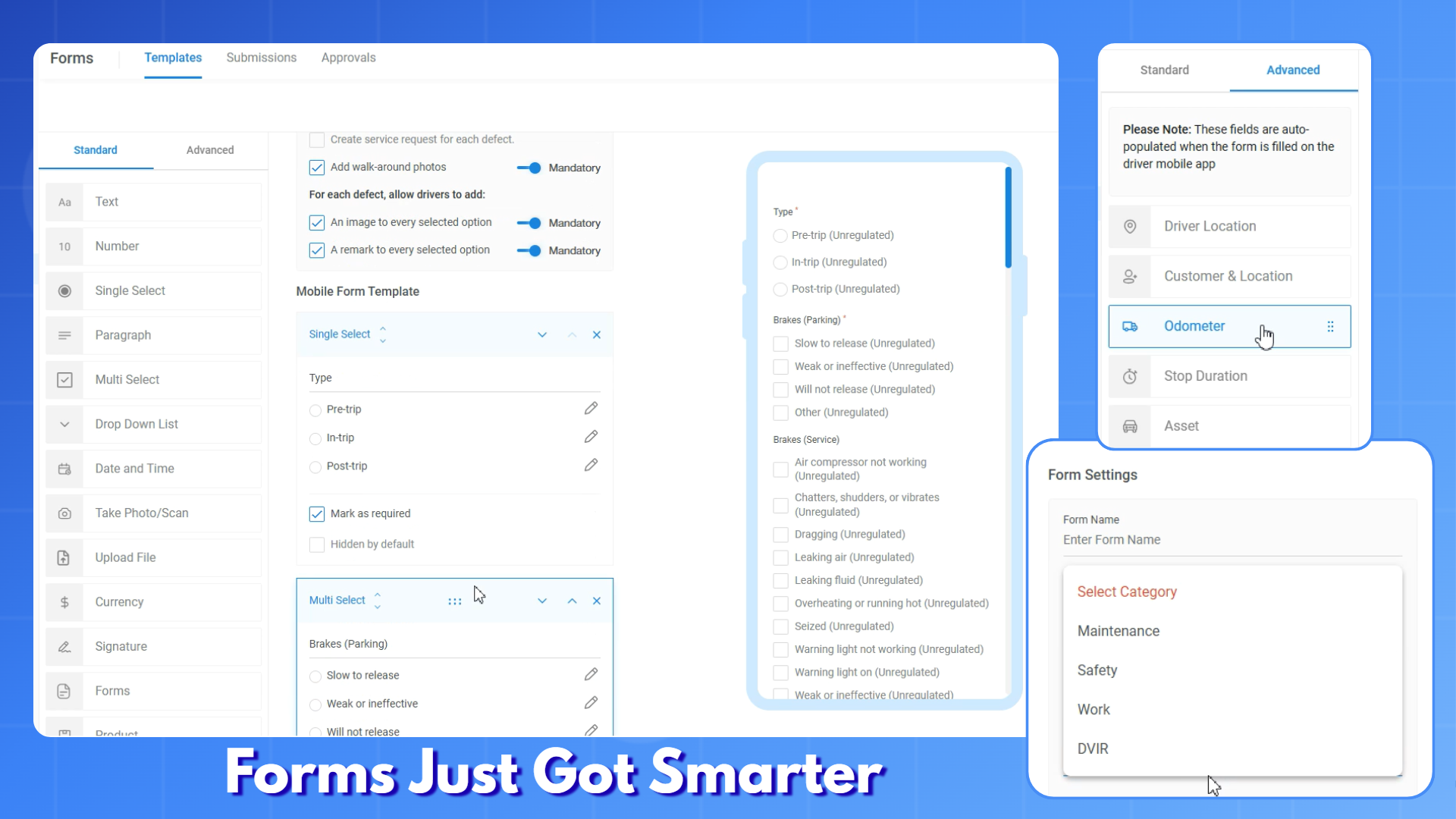
  • Select form categories like DVIR or Maintenance to auto-generate service requests upon submission.

  • Use editable DVIR templates with a built-in list of common defects.

  • Require walk-around photos and allow comments for each defect as needed.

  • Classify defects as minor, major, or unregulated to reflect urgency in service handling.

  • Apply conditional logic to show or hide fields based on user input (e.g., trip type = pre-trip).

  • New advanced fields auto-fill driver location, odometer, asset info, and more — when using the mobile app.

  • Add a product selection field with simple drag-and-drop.

  • Admins can now edit submitted forms; updates are reflected instantly.

Why It Matters:

These improvements give you more control over how forms are built and used, reduce manual input for drivers, and ensure maintenance and safety workflows stay efficient and responsive.

New

New Group-Level Safety Report

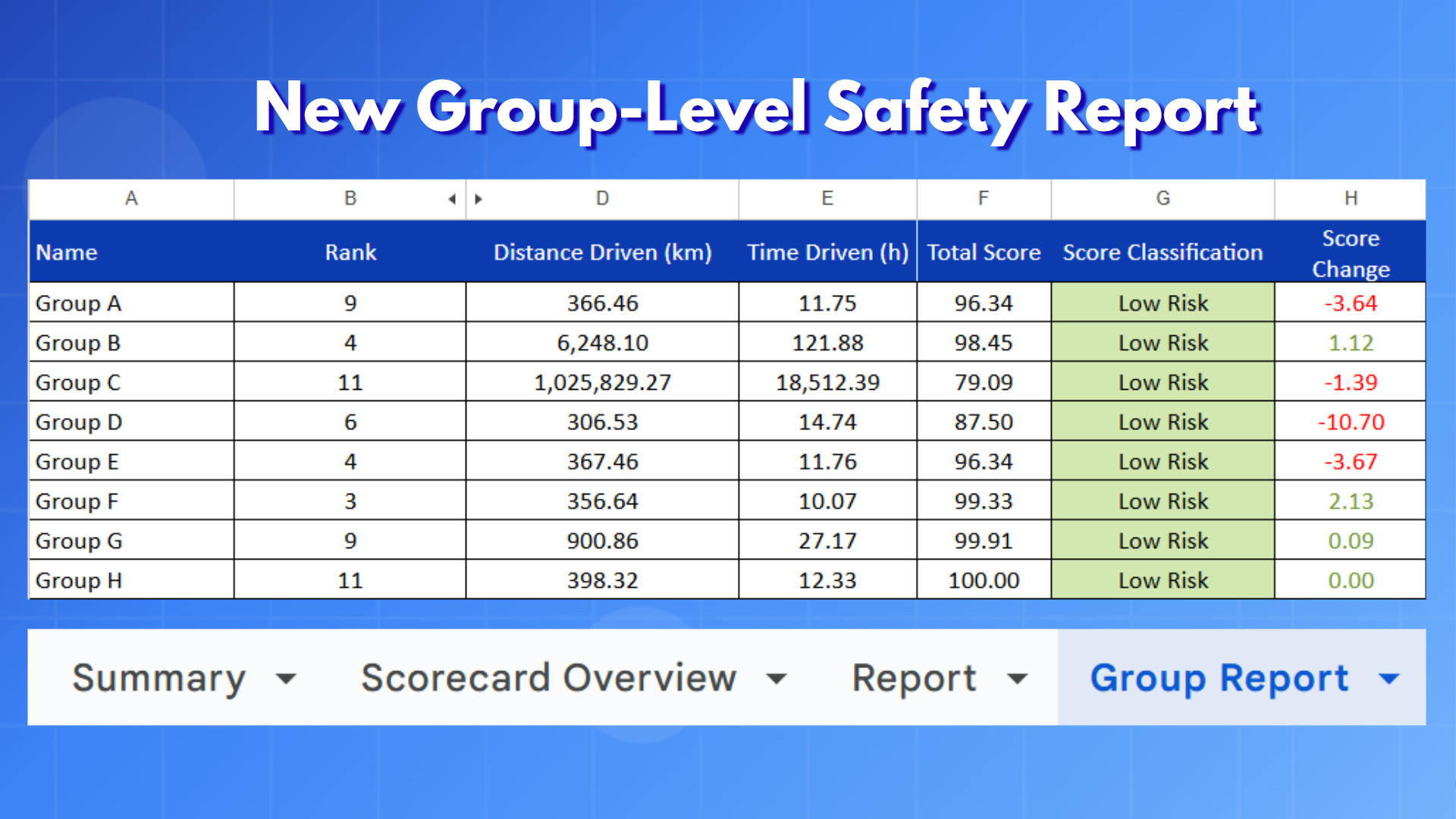
We’ve expanded the Safety Report to include a new group view — giving you a consolidated safety performance summary by driver groups.

Key Updates:

  • A new Group Report is now available alongside the existing driver-level and summary reports.

  • View safety scores aggregated by group, region, or business unit.

  • Each group’s report includes:

    • Total distance driven

    • Total drive time

    • Group safety score

    • Group ranking

  • Offers a clearer view of performance trends across teams or locations.

Why It Matters:

This new report helps you track safety performance not just by individual drivers, but by group — making it easier to identify strengths, address risks, and coach at scale.

New

Earlier updates