Centralized Asset Intelligence At Your Fingertips
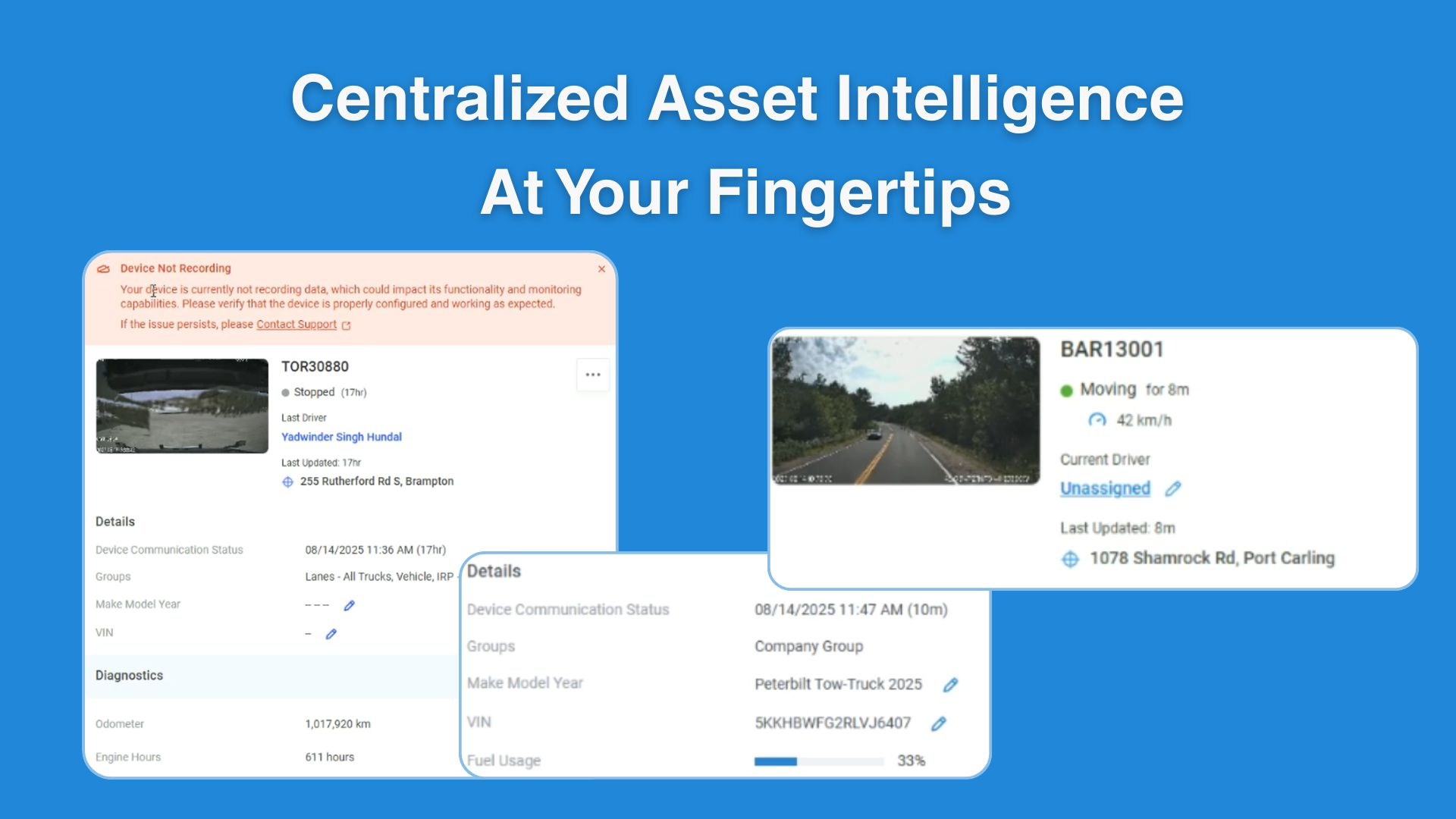
The new Asset Detailed View provides a centralized snapshot of each asset. Instead of navigating through multiple screens, users can now access all critical information about a vehicle or device in a single, streamlined view.
Key Features
Instantly view asset status, assigned driver, last update time, location, and communication history.
Includes make, model, group assignments, and diagnostic applications.
Automatically flags non-communicating devices or recording issues with a direct link to support.
Displays faults, fault codes, and exceptions for quick troubleshooting.
Shows fuel usage or remaining fuel when available for better operational insights.
Enables users to quickly move from issue detection to resolution without leaving the detailed view.
Why It Matters
Instead of spending valuable time switching between different screens or searching for updates, users gain immediate access to key insights like asset activity, faults, exceptions, and fuel usage. By highlighting issues and providing direct links to support, the Asset Detailed View also reduces downtime and ensures problems can be addressed quickly. Ultimately, this streamlined experience improves visibility, speeds up decision-making, and empowers teams to stay proactive in managing their assets.