Smarter Assignments Start Here
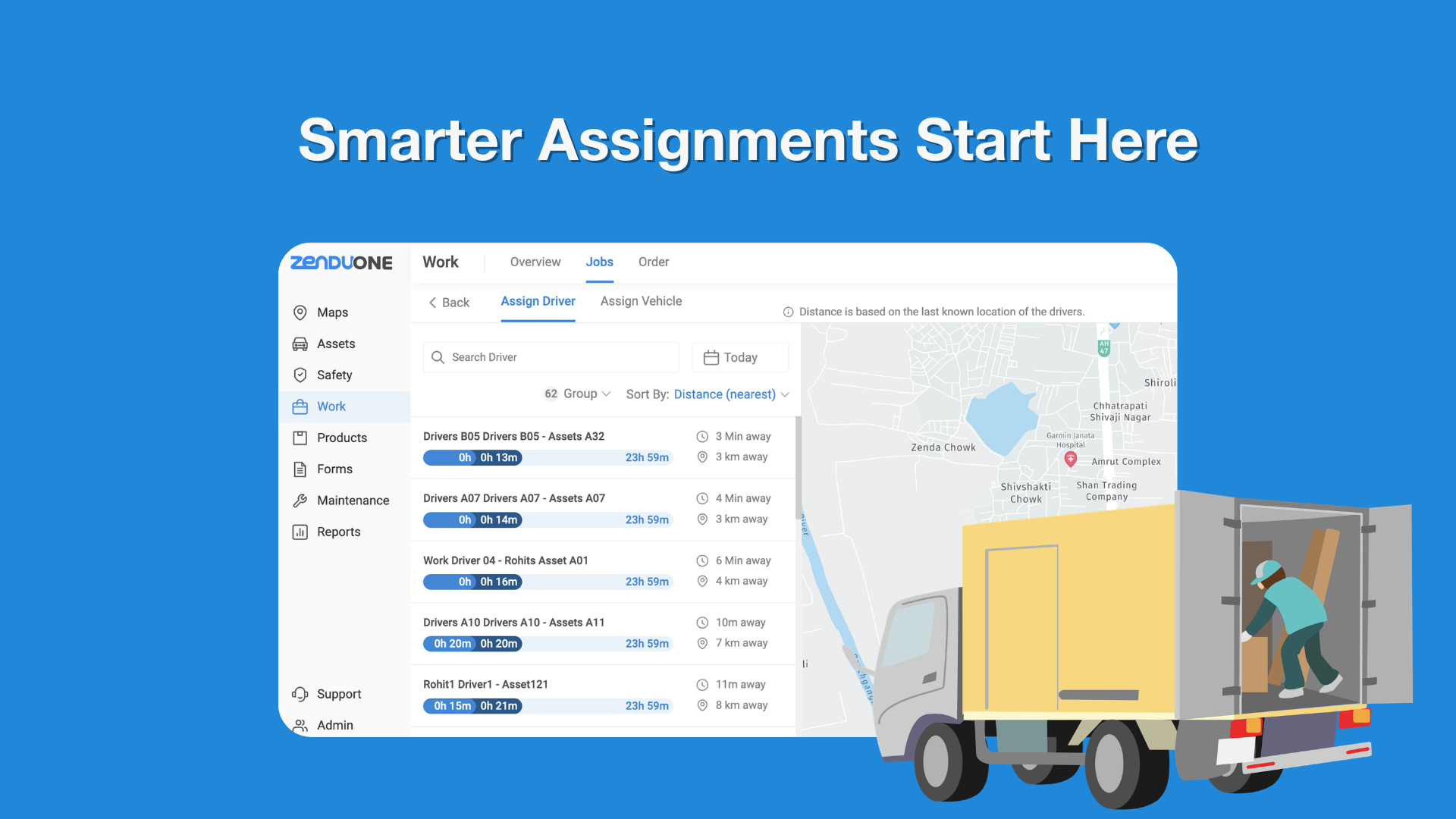
This update enhances the Assignment Screen by introducing two separate tabs: Assign Driver and Assign Vehicle. While the vehicle assignment flow remains largely the same, driver assignment now includes visibility into driver location, availability, and proximity to the job’s first stop. This allows users to assign jobs more efficiently based on real-time or last known location data.
Key Points
Two new tabs introduced: Assign Driver and Assign Vehicle
Vehicle availability time bar removed from Vehicle tab
Driver tab displays all drivers with availability indicators
Driver location shown on map (live or last known location)
Distance and time to first job stop calculated automatically
Job page displays linked driver-vehicle relationships
Why It Matters
Separating driver and vehicle assignments provides greater flexibility and clarity during dispatching. With visibility into driver proximity and availability, teams can make faster, data-driven assignment decisions, reducing response times and improving operational efficiency. The added transparency between assigned drivers and vehicles also ensures better coordination while still allowing jobs to remain unassigned when needed.